Clay HTTP API Integration
Connect Anysite REST API to Clay via HTTP API enrichment — eliminate data credits on LinkedIn and web scraping
Overview
Clay's HTTP API enrichment lets you call any external API directly from your table. By connecting Anysite endpoints, you replace Clay's native data credit–consuming enrichments with direct API calls — keeping the same workflow but removing the data credit cost.
What moves off Clay's data credits:
- LinkedIn profiles and company data
- Website scraping and content extraction
- Twitter/X user data and posts
- Company employee search
- Reddit, Instagram, YouTube data
What stays in Clay (worth the credits):
- Email verification waterfall
- Phone number enrichment
Requirements: Clay Growth plan or higher (HTTP API is not available on Starter/Launch). Anysite API key from app.anysite.io.
Step 1: Get Your Anysite API Key
Sign up at Anysite
Go to [app.anysite.io](https://app.anysite.io) and create an account. Free tier includes 1,000 credits to test.
Copy your API key
In the dashboard, find your API key in the **API Key** section. You'll use this as the `access-token` header value in Clay.
Step 2: Prepare Your Clay Table
Create or open a Clay table with your lead data. You need at least one column with identifiers — LinkedIn URLs, company domains, or Twitter handles.
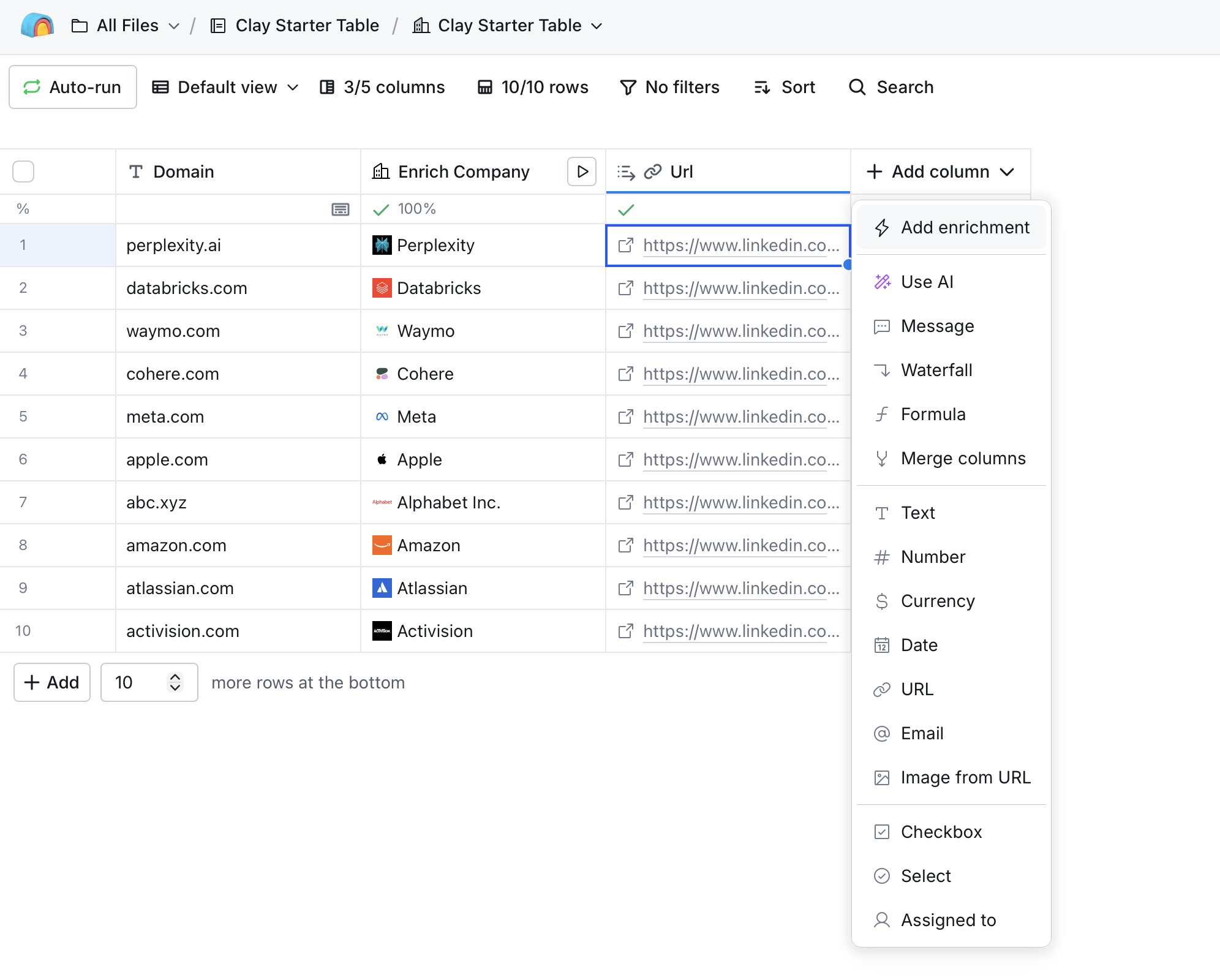
Click + Add column to start adding an enrichment.
Step 3: Add HTTP API Enrichment
Select Add enrichment from the column menu, then search for HTTP API.
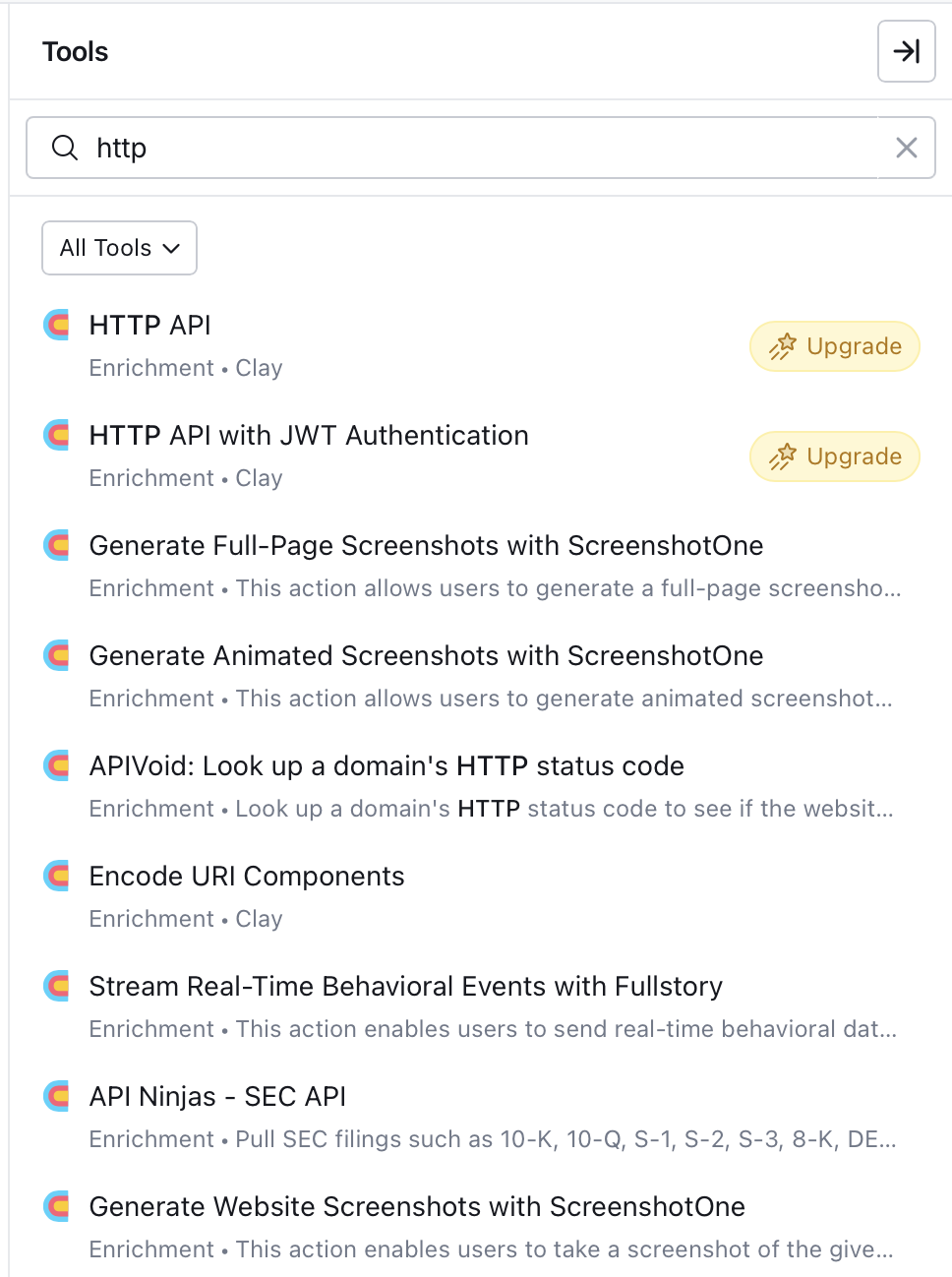
Select HTTP API (Enrichment · Clay).
Step 4: Configure the API Call
Clay offers two ways to set up the HTTP API connection: Generate (AI-assisted) and Configure (manual).
Option A: AI-Generated Setup (Recommended)
The Generate tab uses Clay's Sculptor AI to automatically configure the API call. Instead of writing the prompt yourself, copy a ready-made prompt from the Anysite API Reference.
1. Open the endpoint page in Anysite API Reference
Find the endpoint you need (e.g. /linkedin/company) and click the AI Prompt button next to the endpoint title.
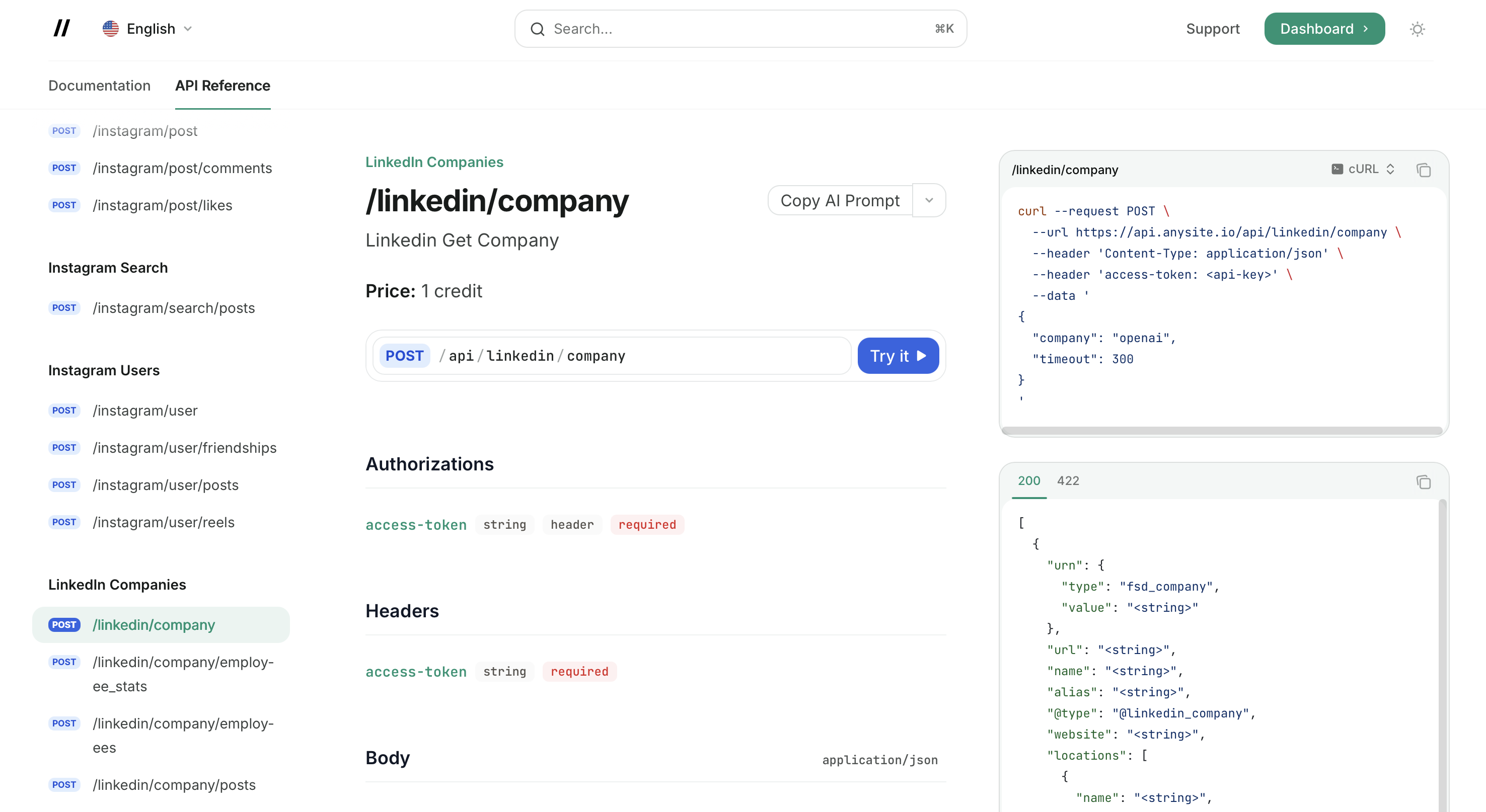
This copies a detailed prompt with the endpoint URL, authentication method, all parameters, request/response examples, and implementation requirements.
2. Paste the prompt into Clay's Generate field
In the HTTP API dialog, switch to the Generate tab and paste the copied prompt into the description field. You don't need to fill in the Documentation URL — the prompt already contains everything Sculptor needs.
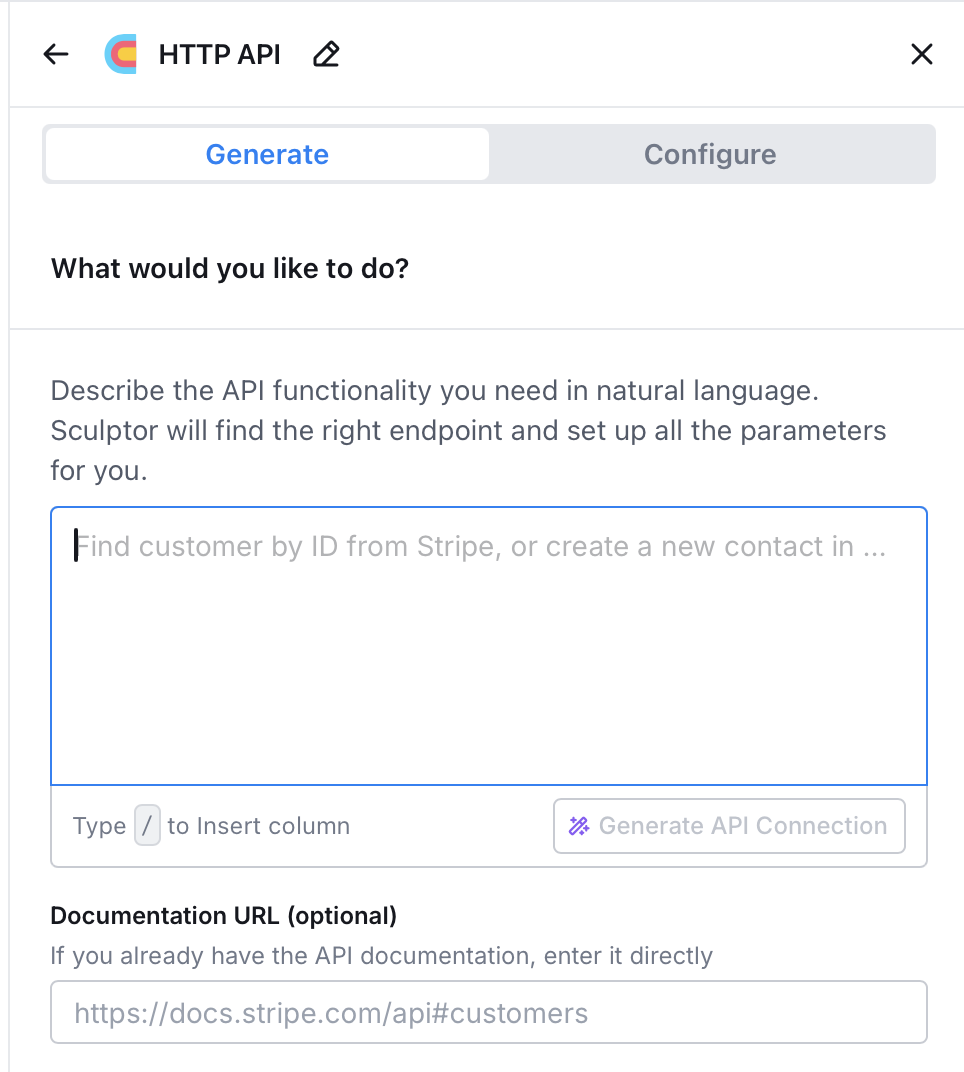
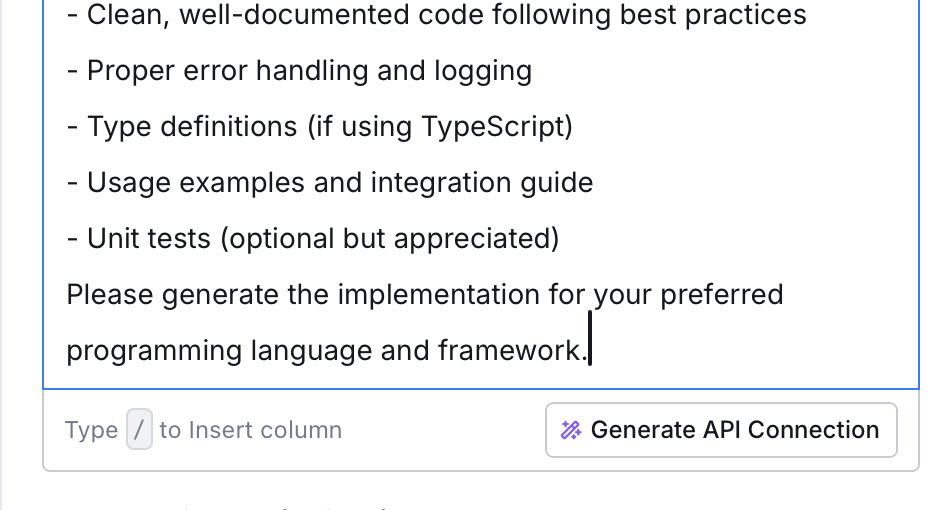
Click Generate API Connection. Sculptor reads the prompt and configures the method, endpoint, headers, and body mapping automatically.
3. Review the generated connection
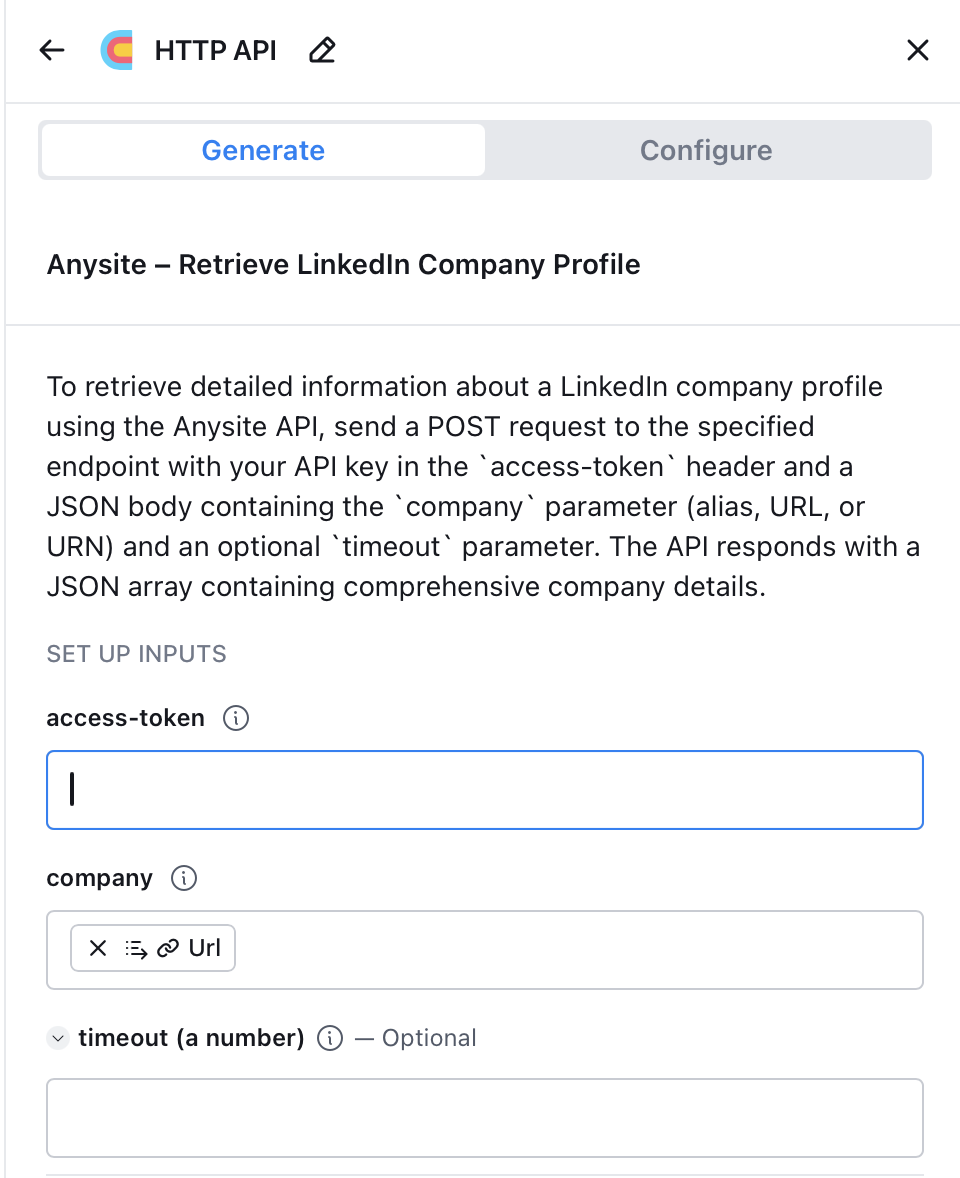
The generated connection shows:
- access-token field — paste your Anysite API key here
- company field — mapped to your table's LinkedIn URL column
- timeout — optional, leave empty for default (300s)
The AI Prompt button is available on every endpoint page in the API Reference. Use it for any Anysite endpoint — LinkedIn, Twitter, Instagram, Reddit, YouTube, web scraping, and more.
Option B: Manual Configuration
Switch to the Configure tab to set up the API call manually.
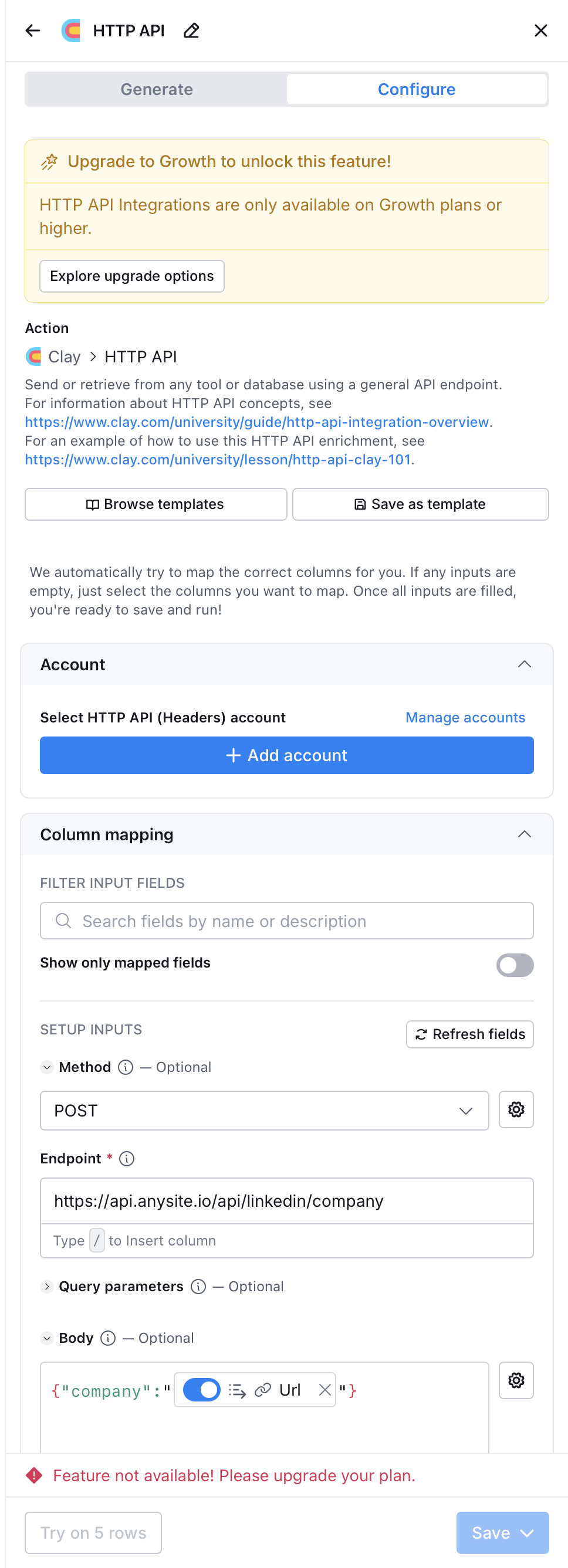
Fill in:
- Method:
POST - Endpoint:
https://api.anysite.io/api/linkedin/company - Account: Add HTTP API (Headers) account with
access-token: YOUR_API_KEY - Body:
{"company": "{{linkedin_url_column}}"}
Use the / key in any field to insert column references from your table.
Step 5: Map Response Fields
After running the enrichment, Clay returns structured JSON. Use Clay's JSON path selector to extract specific fields into new columns:
$.name— company name$.description— company description$.industry— industry$.employee_count— employee count$.headquarters— headquarters location$.website— company website
Common API Configurations
LinkedIn Company Profile
POST https://api.anysite.io/api/linkedin/company
Body: { "company": "{{linkedin_url}}" }
Returns: name, description, industry, employee count, headquarters, specialties, recent posts.
LinkedIn Person Profile
POST https://api.anysite.io/api/linkedin/user
Body: { "user": "{{linkedin_profile_url}}" }
Returns: full profile with experience, education, skills, current role.
Find Decision Makers
POST https://api.anysite.io/api/linkedin/search/users
Body: {
  "keywords": "CTO",
  "company_keywords": "{{company_name}}",
  "count": 5
}
Returns: list of matching profiles with LinkedIn URLs.
Website Scraping
POST https://api.anysite.io/api/webparser/parse
Body: {
  "url": "{{website_url}}",
  "strip_all_tags": true,
  "only_main_content": true
}
Returns: clean text content. Feed into a Clay AI column to extract tech stack, signals, or any structured data.
Twitter/X User Posts
POST https://api.anysite.io/api/twitter/user/posts
Body: {
  "user": "{{twitter_handle}}",
  "count": 20
}
Returns: recent posts with engagement metrics — useful for identifying active companies and buying signals.
Company Employees
POST https://api.anysite.io/api/linkedin/company/employees
Body: {
  "companies": [{ "type": "company", "value": "{{company_urn}}" }],
  "count": 10
}
Requires company URN from the /api/linkedin/company response. Run company enrichment first, extract the URN, then use it here.
Example Workflow: B2B Lead Enrichment
A typical 5-column enrichment pipeline:
| Column | Source | What it does | Clay cost |
|---|---|---|---|
| LinkedIn URL | Input | Your lead list | Free |
| Company Data | Anysite API | POST /api/linkedin/company |
1 Action |
| Person Profile | Anysite API | POST /api/linkedin/user |
1 Action |
| Website Content | Anysite API | POST /api/webparser/parse |
1 Action |
| Clay native | Email waterfall enrichment | 1 Action + credits | |
| AI Summary | Clay AI | Personalized first line | 1 Action |
Result: Full lead enrichment where only email verification uses Clay data credits. LinkedIn and web scraping are handled by Anysite at API plan cost ($49/mo for ~5,000 calls).
Cost Comparison
For a 1,000-lead monthly workflow with LinkedIn + website + email enrichment:
| Approach | Monthly cost |
|---|---|
| Clay native only (Growth plan) | ~$2,200 |
| Clay + Anysite API | ~$375 |
The difference comes from eliminating ~15,000 data credits on LinkedIn profiles and website scraping.
API Reference
For complete endpoint documentation with all parameters, types, and constraints:
API Reference
Interactive API documentation with all endpoints
Full AI Reference
Machine-readable reference with all endpoints, parameters, and examples
Troubleshooting
HTTP API requires Growth plan or higher
Clay's HTTP API enrichment is only available on Growth plan and above. If you see "Feature not available! Please upgrade your plan", you need to upgrade your Clay subscription.

**Alternative:** Use [Clay MCP integration](/docs/mcp-server/unlimited-plan-clay) instead — MCP works on all Clay plans that support custom MCP servers.
401 Unauthorized errors
Anysite uses `access-token` header, **not** `Authorization: Bearer`.

When setting up the HTTP API account in Clay:
- Header name: `access-token`
- Header value: your API key from [app.anysite.io](https://app.anysite.io)
Empty or missing data in response
- Verify the input URL/identifier is correctly formatted
- Check that the LinkedIn profile or company page exists and is public
- Some profiles may return limited data if they are private
- Error code 404 means the entity was not found — verify the URL
- Error code 412 means the entity is unavailable (deleted or restricted)

See [Error Codes](/docs/error-codes) for the full list.
Sculptor generates incorrect configuration
If the AI-generated setup doesn't work:
1. Switch to the **Configure** tab and set up manually
2. Use the exact endpoint URLs from this guide
3. Make sure `access-token` is set as a header, not a query parameter
4. Verify the JSON body field names match the API documentation
Rate limits or timeout errors
- Default timeout is 300 seconds. Add `"timeout": 600` to the body for slow requests
- If you get 429 errors, reduce request frequency or check your plan limits
- Check usage at [app.anysite.io](https://app.anysite.io) dashboard
Next Steps
Clay MCP Integration
Alternative: connect via MCP for unlimited requests ($30/mo)
All API Endpoints
Browse all 50+ endpoints available via HTTP API
Authentication
API key management and authentication details
Get API Key
Sign up and get your API key — 1,000 free credits included